
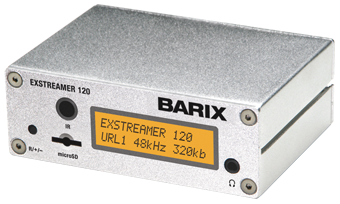
 Please note, due to changes and improvements in equipment, these images may not exactly match the player you receive.
Barix 120 Media Player
DATA SHEET (.pdf)
Requirements
- Wired internet connection (Ethernet, Cat 5, RJ45)
- Amplifier/receiver accepting line in connection
- One 110v AC outlet
Installation instructions
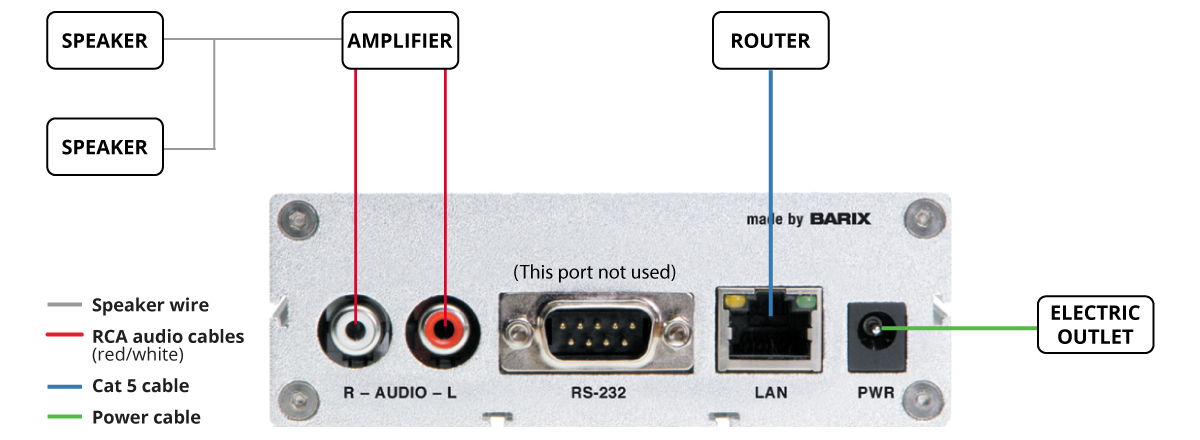
Back of Barix player
- Plug the Cat 5 cable into the LAN port on the back of the player. Then, plug the other end into an open port on your internet router (or switch).
- Plug the RCA audio cable from your in-store sound system into the left and right AUDIO ports on the back of the receiver. You may use the 1/8″ audio jack on the front of the receiver if needed.
- Plug the power adapter into the PWR port on the back of the receiver.
- Once powered on, the LCD screen will welcome you and display the unit’s assigned IP address. If you did not specify a static IP on the installation form, the player defaults to DHCP. If an IP is not displayed across the screen or the IP address is incorrect, please contact Works24 support at 800-460-4653.
- If the unit connects successfully, you will see “Now Playing” and the station name scroll across the screen shortly after. If there is a connection problem, you will see “Please wait…” on the screen until the unit is able to receive the music stream.
- Once your broadcast is running, contact Works24 support at 800-460-4653 to let us know you are connected. We will verify that the unit is connecting properly.
- If your broadcast is not working, and you see “Please wait…” on the screen, the unit is unable to connect to the Works24 music servers. Most likely the problem is a firewall, IP, or internet issue. If you are unable to resolve the issue, please contact Works24 support at 800-460-4653.
- Required Addresses/Ports
Music Streams: 4.31.140.100, TCP Ports 7101-7104, AAC Internet radio streams
Configuration: 24.248.119.210, 24.249.226.50-.62, TCP Port 80 (HTTP text only) - To use the remote, install the included batteries. To change channels, press the channel numbers, then the Play button: . The receiver will switch to the correct channel.