
About Instant Playlist
Each month, our marketing pros hand-pick a timely, well-rounded collection of our best on hold messages. You can turn them into a playlist with one click.
Using Instant Playlist
From the On Hold Dashboard, click New Playlist.
This takes you to the Playlist Builder.
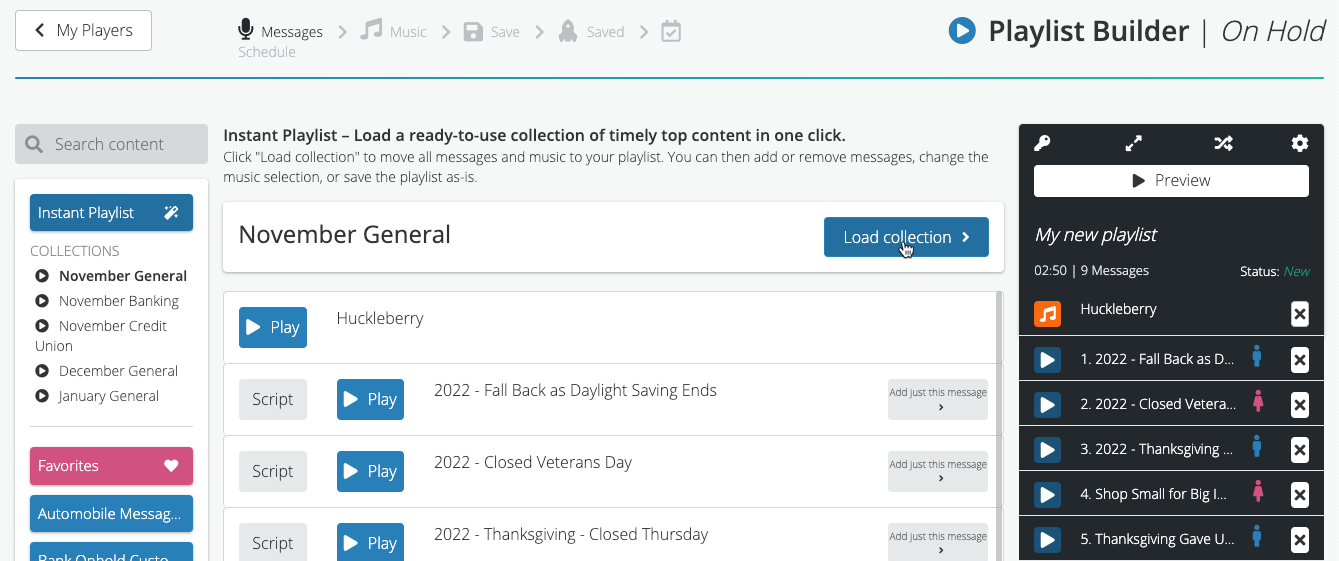
Click the Instant Playlist button at the top left to reveal our current collections. Then, click a collection to preview its contents.
Like what you see? Click Load Collection and the on hold message titles and a background music title appear in the playlist on the right.
If you want, you can add or remove messages.
When you’re happy with your playlist, click the Select Music button at the bottom.
If you want, you can change the music by clicking the Add button next to a different music option. That will override the music choice in your playlist
Then, save and schedule the playlist like you would any other.