
Works24 logo
  • Home
  • Help Center
  • Create24 Video Editor
  • Create24 for PC

Create24 Video Editor for PC

Search in:

Examples: on hold playlists, video templates, radio channel guide
  • Home
  • Contact
  • Help Center
    • The Basics
    • On Hold Messaging
    • Lobby video
    • Create24 video editor
    • Radio
    • Installation
  • Home
  • Help Center
  • Create24 Video Editor
  • Create24 for PC

Create24 Video Editor for PC

Search in:

Examples: on hold playlists, video templates, radio channel guide
  • Home
  • Help Center
  • Create24 Video Editor
  • Create24 for PC

Create24 Video Editor for PC

Jump to

The Create24 Video Editor makes it easy to create your own personalized images and videos.

On the My Products page, click the Lobby Video Players Dashboard button.
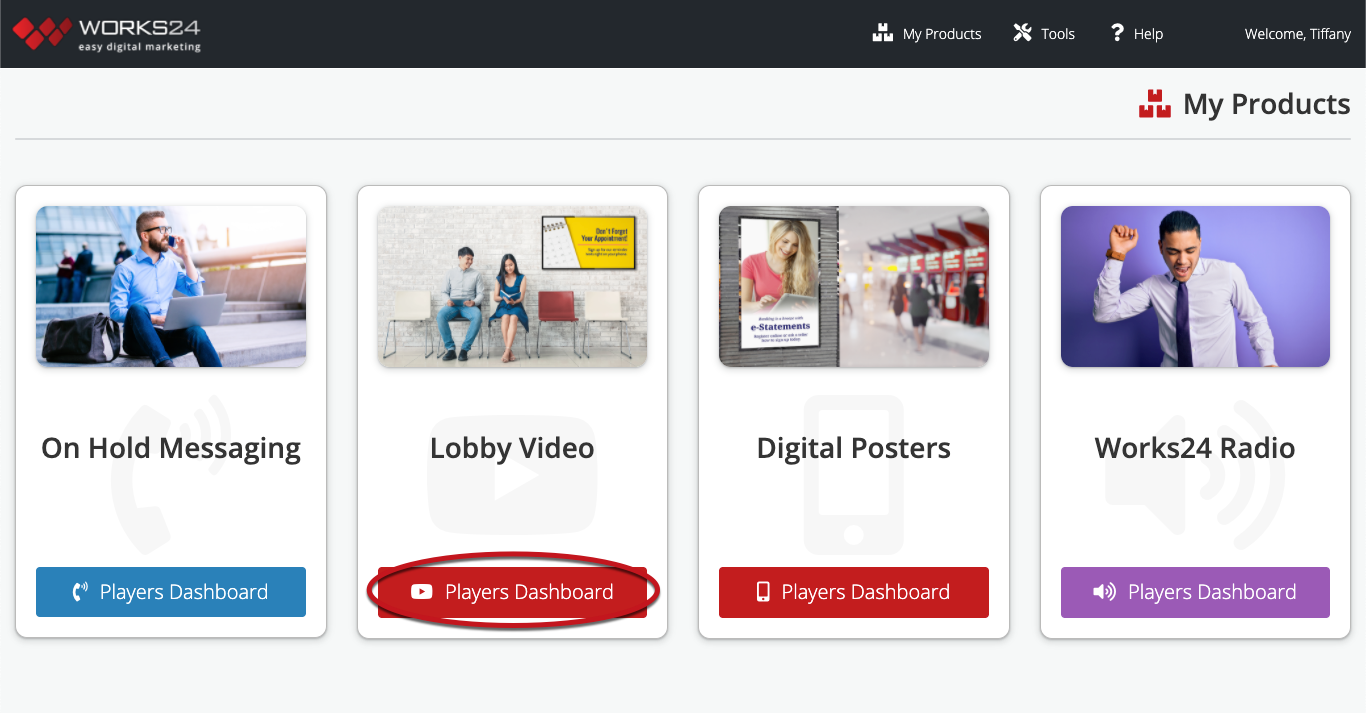
Then, click the Create24 button on the left.

Your images and videos are added to your custom video library in the Works24 Portal. You can then incorporate them into your video playlists.

Print Friendly, PDF & Email

Updated: August 9, 2023

  • Create24 for PC

Categories

  • The Basics (5)
    • How it works
    • Get started
    • User Manager
    • Global settings
    • Large file transfer
  • On Hold Messaging (12)
    • Tutorial - Using the AI Message Creator
    • On Hold Messaging: Overview
    • Create an on hold playlist
    • Use a saved on hold playlist
    • About on hold libraries
    • Manage on hold content
    • Request custom content
    • Use Instant Playlist for on hold messaging
    • Record24
    • Tips for a quality audio recording
    • Manage your on hold players
    • Content ideas
  • Lobby Video (14)
    • Lobby Video: Overview
    • Create a video playlist
    • Use a saved video playlist
    • Use Instant Playlist for video
    • About video libraries
    • Manage video content
    • Create custom feeds
    • Add a logo overlay
    • Add a scrolling ticker
    • Apply a screen layout
    • About Digital Posters
    • Lobby Video cheat sheet
    • About Video Walls
    • Manage your video players
  • Create24 Video Editor (20)
    • Create24 for Apple TV (11)
      • Create24 Video Editor: Overview
      • Create a slide from scratch
      • Create a slide from a template
      • Create a video from scratch
      • Create a video from a template
      • Design your slide or video
      • Add motion to your video
      • Create a data feed template
      • Create24 for Apple TV cheat sheet
      • Video design tips
      • Specs for uploading video clips
    • Create24 for PC (11)
      • Create24 Video Editor for PC
      • Create24 for PC cheat sheet
      • Create a new image
      • Design your image
      • Create a new video
      • Design your video
      • Create a sidebar image
      • Use a Create24 template
      • Video design tips
      • Specs for uploading video clips
      • Specs for uploading Digital Poster video clips
  • Works24 Radio (4)
    • Works24 Radio: Overview
    • Manage your Play24 settings
    • Manage your Works24 Radio player
    • Radio channel guide
  • Installation (13)
    • Client forms (3)
      • On Hold Messaging forms
      • Lobby Video forms
      • Works24 Radio forms
    • On Hold Messaging installation (2)
      • On Hold Messaging equipment guides
      • On Hold Messaging player installation
    • Lobby Video installation (6)
      • Lobby Video equipment guide
      • Single screen installation
      • Single screen with remote player installation
      • Multiple screens with remote player installation
      • Drive-up screen installation
      • Video player installation tips and troubleshooting
    • Works24 Radio installation (2)
      • Works24 Radio equipment guides
      • Works24 Radio installation
Video Learning Center
  • Home
  • Contact
  • Works24 Portal
  • 800-460-4653

© 2023 Works24 Corporation

Back to Top