
Get started
Log in to Create24 using the same username/password as you do for the Portal. This takes you to the Content/Templates screen.
Choose a template
Browse the Customizable Video Library on the left of the screen until you find an editable slide template you like. Hover your pointer over the template and options will appear:
- Preview — View a larger version of the template
- Make A Copy — Create a new design based on this template
Since you want to create a new slide, select Make A Copy.
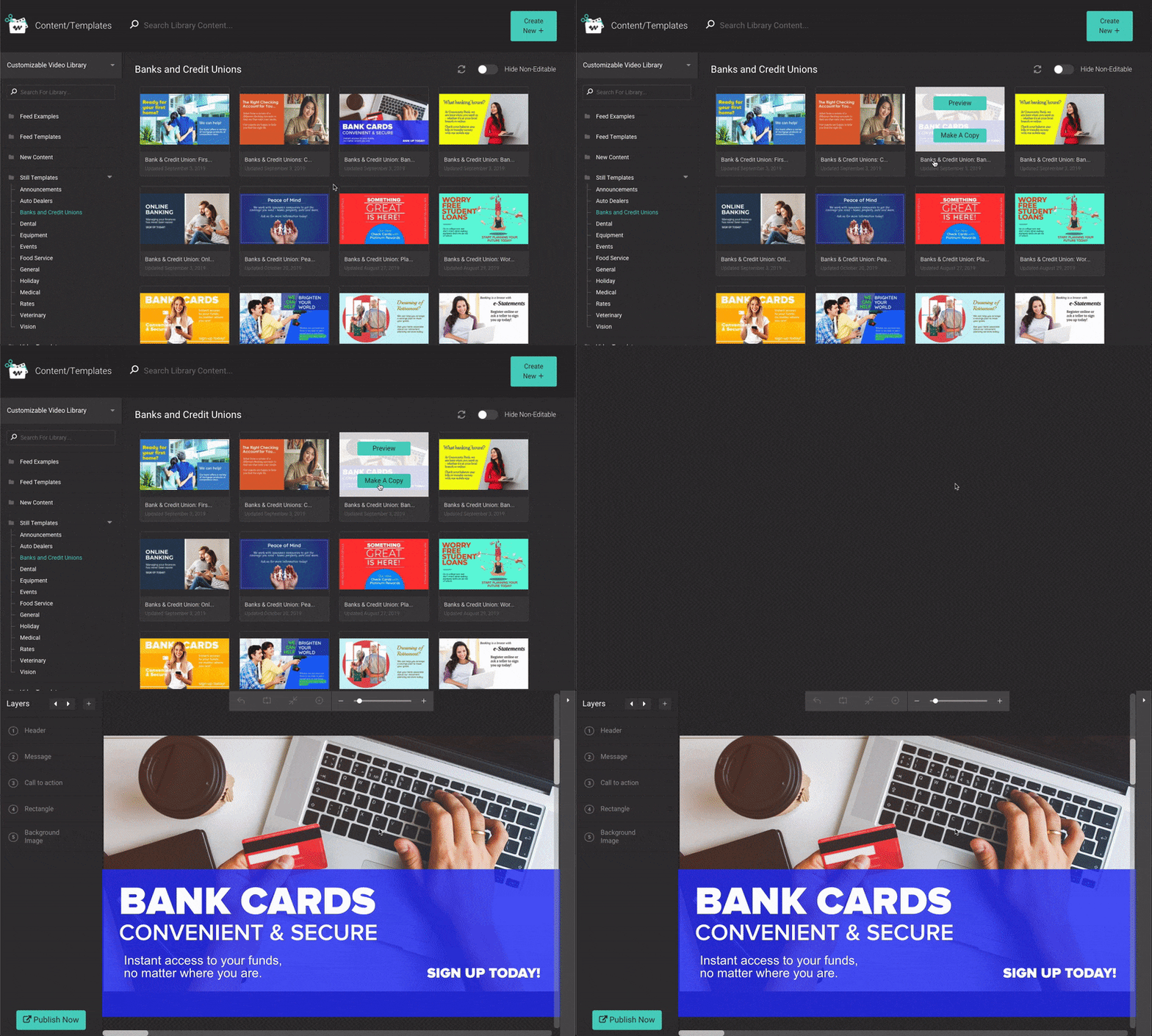
Customize the design
Once in the design area, you can make changes to images, shapes, and text. The only part of the design you cannot change is the background image, which is locked.
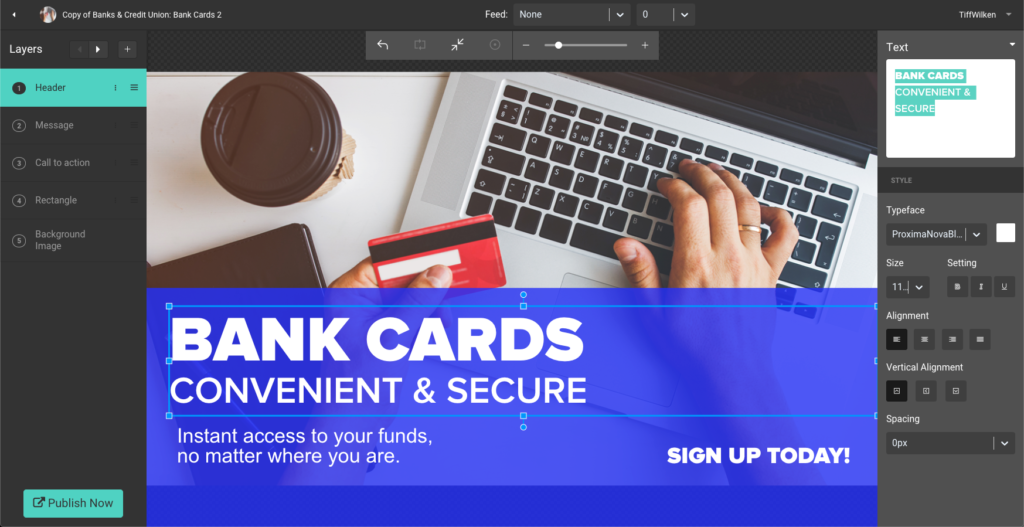
Each design element is a separate layer. Learn more about working with layers in Design your slide or video.
Publish your slide
When you are satisfied with your design, click Publish Now.

You will be prompted to name the slide, and pick the library and category where you want the slide saved. Click OK.
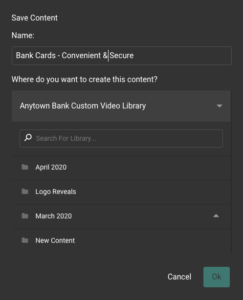
It may take up to 30 minutes to process the slide. You cannot make changes to the design during this time. Return to the Portal to create a video playlist using your new slide.