
About Instant Playlist
Each month, our marketing pros hand-pick a timely, well-rounded collection of our best clips. You can turn them into a playlist with one click.
Using Instant Playlist
From the Video Dashboard, click New Playlist.
This takes you to the Playlist Builder.
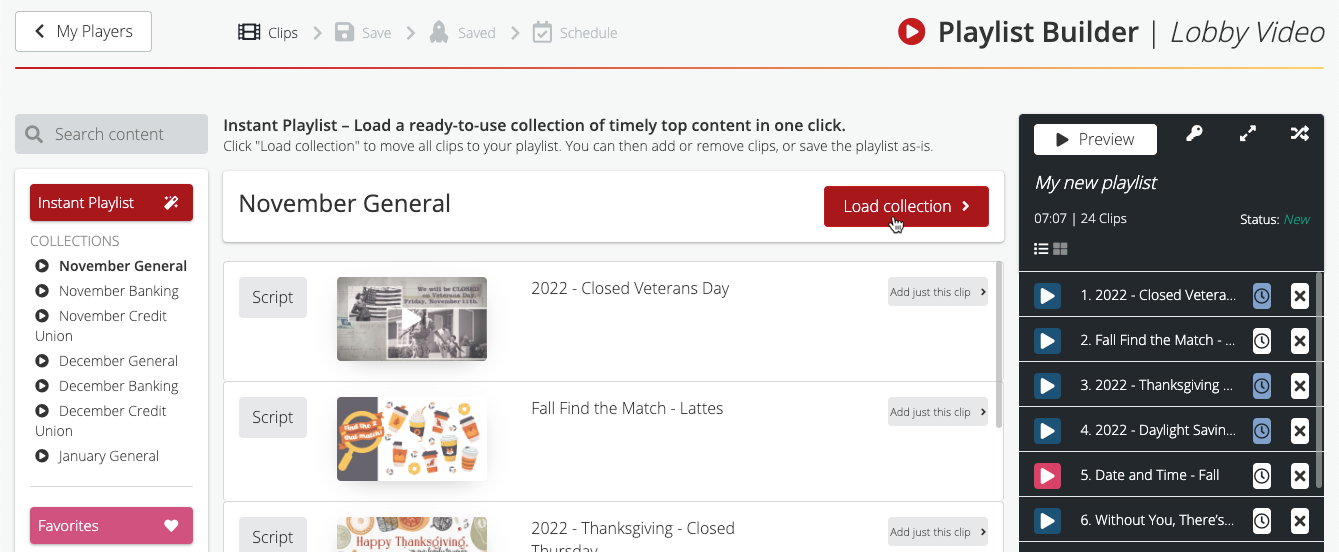
Click the Instant Playlist button at the top left to reveal our current collections. Then, click a collection to preview its contents.
Like what you see? Click Load Collection and the video clip titles appear in the playlist on the right.
If a clip has an expiration date – for example, a holiday – the clock icon will be blue.
If you want, you can add or remove clips. We recommend adding your logo reveal.
Then, save and schedule the playlist like you would any other.