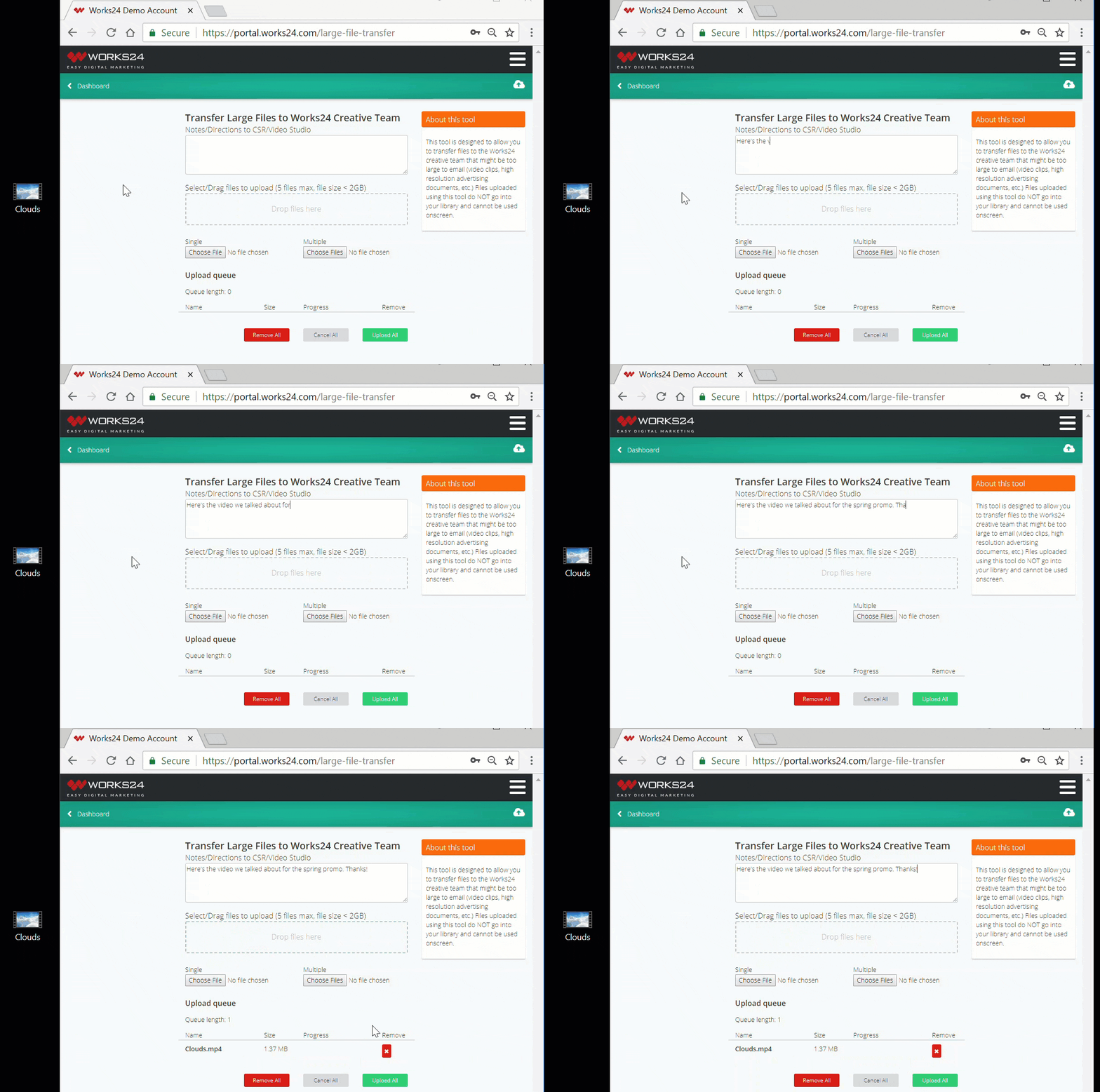
Upload large files for the Works24 creative team to use in your productions.
The large file transfer is found in Tools.
Note: Use this uploader only to send files to our creative team. You may upload on hold messages directly through the on hold File Uploader, and video clips and images through the video File Uploader.
Enter any notes or directions for your CSR or the Works24 creative team in the first field. Then, you can drag and drop up to five files to the area with the dashed border. Or, use the Choose File or Choose Files buttons to upload your content. You can see the status of your uploads in the queue at the bottom of the screen.